
All news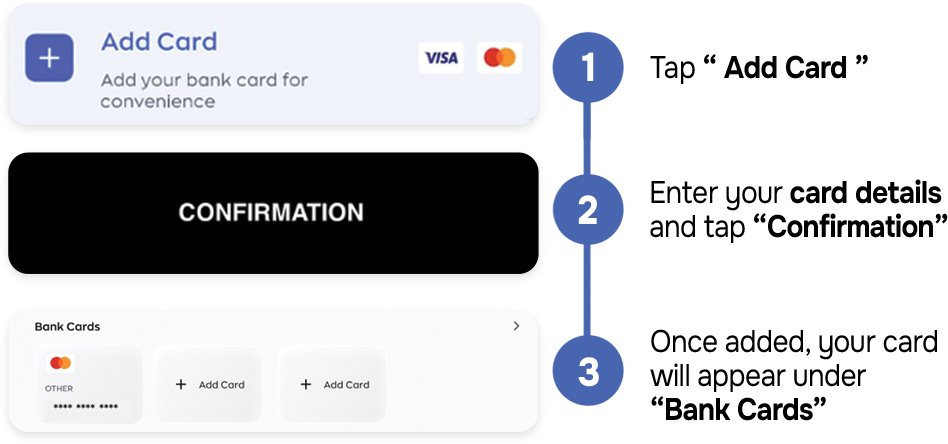
August 17, 2026
Add your bank card to Tino
Add your bank card to Tino for a faster and more convenient payment experience.
-
Add your card
Tap “Add Card” to start linking your bank card to your Tino account. -
Enter your card details
Fill in the required card information, check that your details are correct, and tap “Confirmation” to continue. -
Access your saved card
Once successfully added, your card will appear under “Bank Cards”, where you can view and manage your saved payment methods.
Save your card once and enjoy a smoother payment experience with Tino.